
You can use the Distributed LogPoint (DLP) settings to connect multiple Fabric-enabled LogPoints and distribute the storage of logs among them. You can monitor, configure, and analyze the data from any of the connected LogPoints.
For example, a simple case with two LogPoints: LP1 and LP2. You can add LP2 as a Distributed LogPoint for LP1. In this case, a user at LP1 with privilege can access the logs on LP2 from the LP1 itself. The user can perform searches, create dashboards, alerts, or generate reports including the logs from any of the repos from both LogPoints.
Note
LogPoint instances connect using a secure VPN connection.
A user in LP2 may not be able to see the logs in LP1 unless LP1 is explicitly added as a DLP for LP2. You can add LP1 as a DLP for LP2 in order to access the logs from both ways.
You can add any number of DLPs to a LogPoint. However, the name of each LogPoint node must be unique in a distributed deployment.
Go to Configure >> Settings >> System >> Distributed LogPoint Settings.
Select the LogPoint instances where you want to configure the Distributed LogPoint settings.
Note
You cannot select a LogPoint collector.
Click Next.
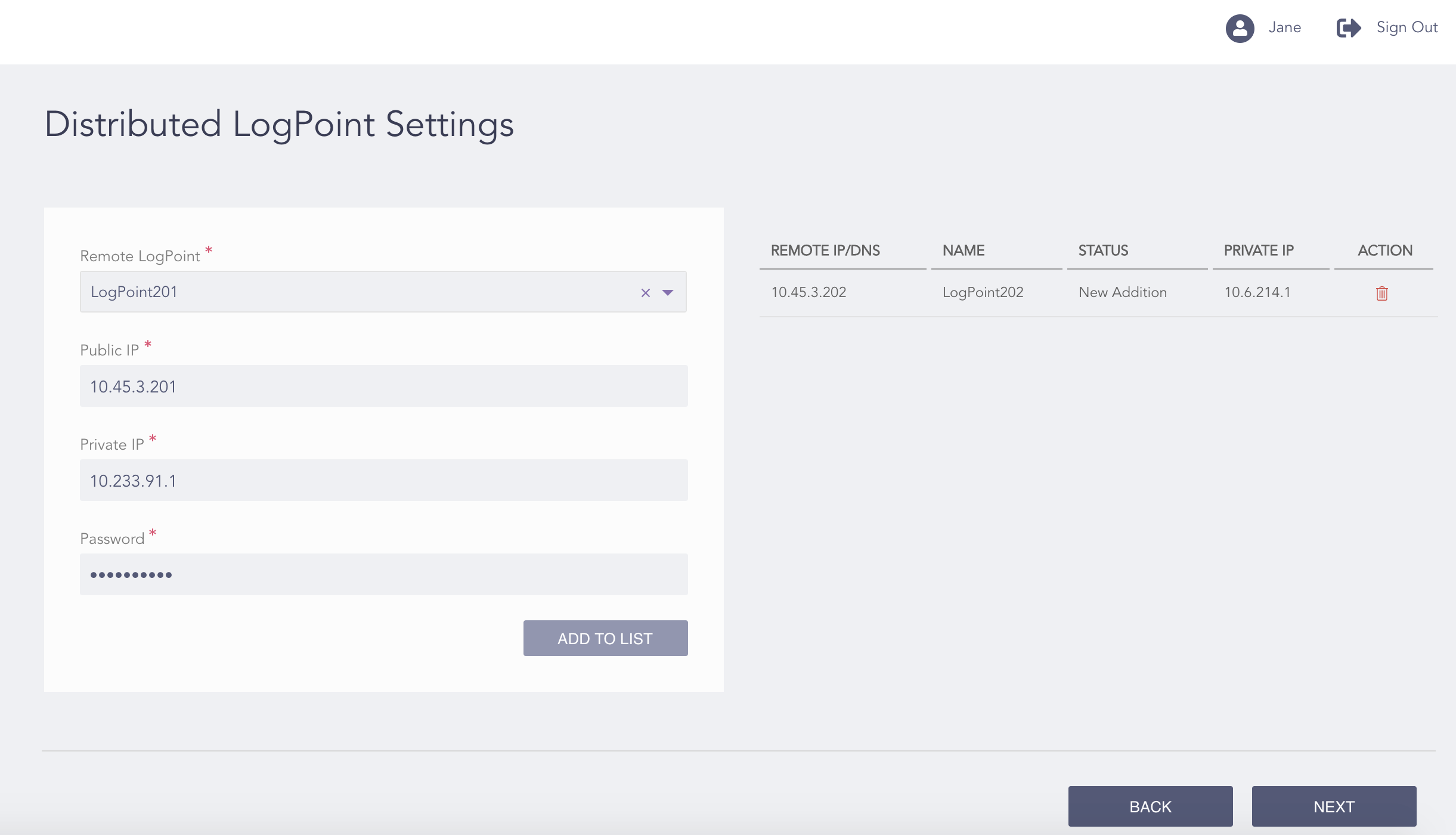
Configuring the Distributed LogPoint Settings
Select a Remote LogPoint. The Private IP of the remote LogPoint populates accordingly.
Note
You can add multiple DLPs to a LogPoint.
Enter the Password of the remote LogPoint’s Open Door configuration.
Click Add to List.
Click Next.
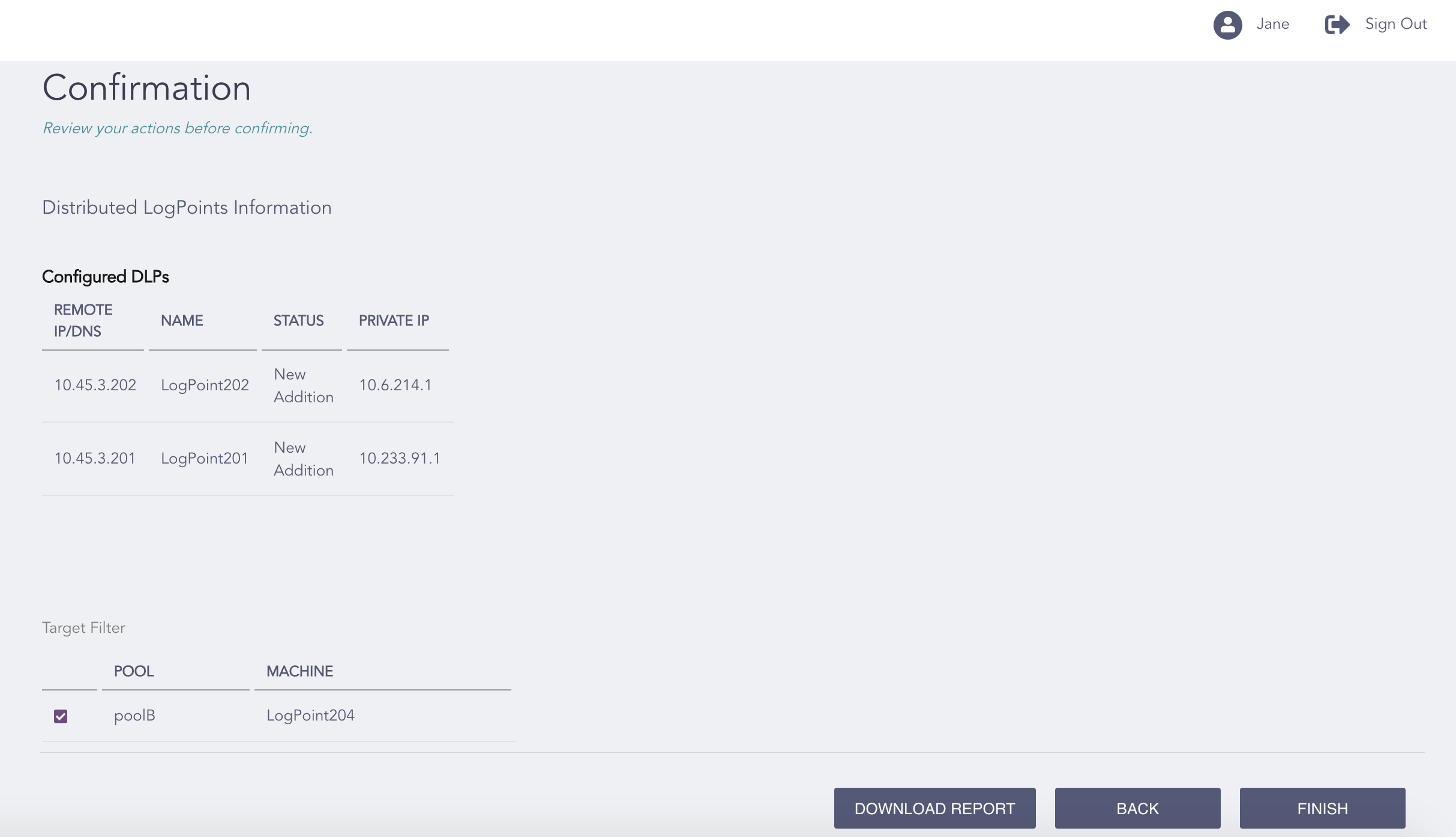
Confirming the Changes
Review your changes. You can go Back to make any changes if necessary.
Note
Click Download Report to save the summary of the task in PDF.
Click Finish.
Click OK.